
Tapiki StormWatch
Hawaiʻi’s live emergency weather picture.
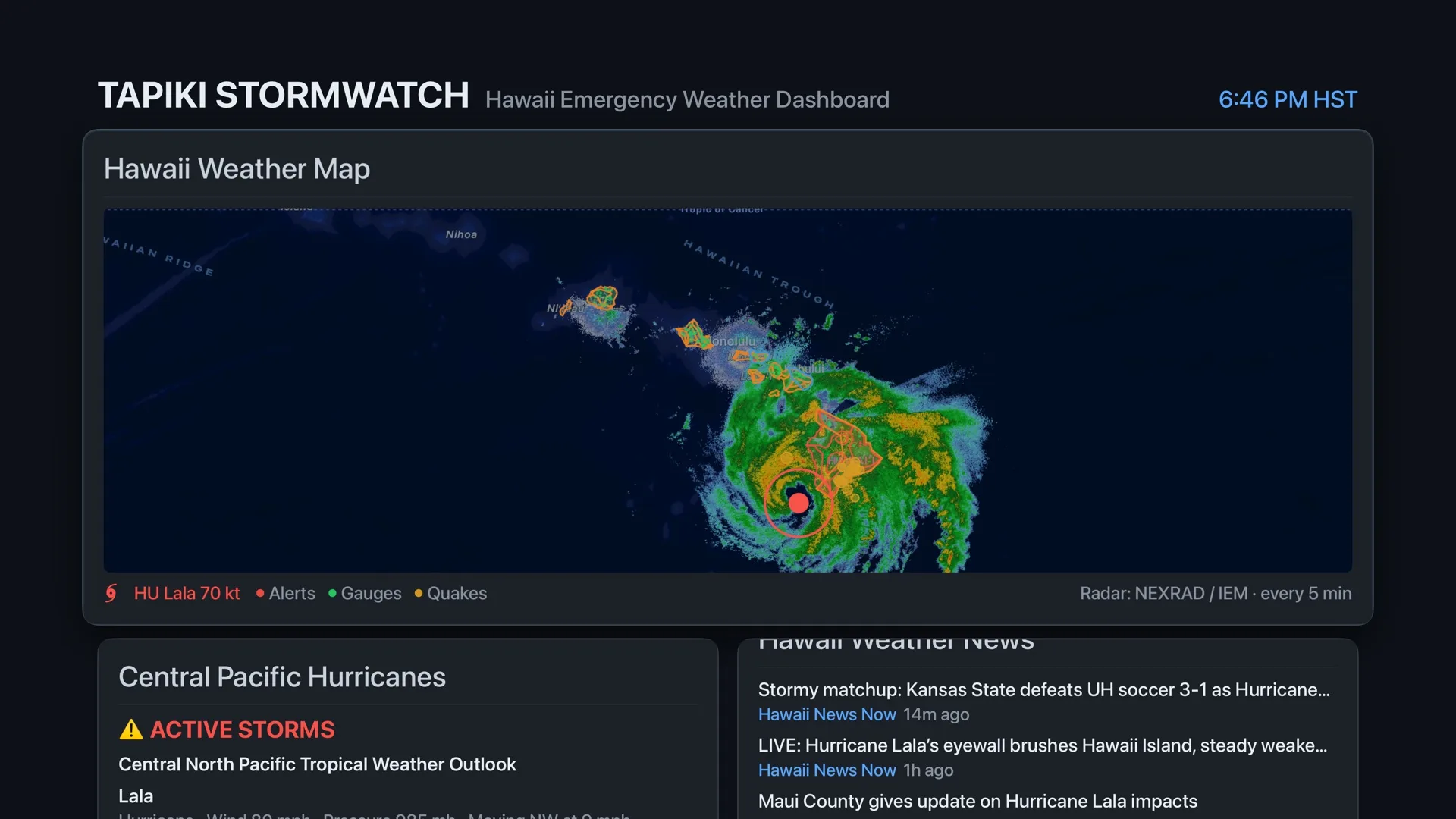
Weather alerts, storm tracking, radar, stream gauges, tsunami alerts, and power outages in one place. Free, with no account, on iPhone, iPad, Apple TV, Apple Watch, and the web. Tapiki builds and runs it.
Why it exists
One place to look.
Tapiki built StormWatch after the two Kona Low storms of March 2026 brought catastrophic flooding to Hawaiʻi. Warnings, forecasts, and conditions were spread across agencies and sites, and no single live view brought them together.
The web dashboard came first. The apps for iPhone, iPad, Apple TV, and Apple Watch followed, with Live Activities and community outage reports added for the 2026 hurricane season. Tapiki runs it year-round.
Where the data comes from
Official sources, live.
- National Weather Service Honolulu: alerts, current conditions, and Doppler radar
- National Hurricane Center, Central Pacific: storm tracks and forecast cones
- Pacific Tsunami Warning Center: tsunami messages for Hawaiʻi
- USGS: earthquakes, stream gauges, and real-time flood impacts
- Hawaiʻi Emergency Management Agency: statewide emergency updates
- NOAA GOES-West satellite imagery
- Hohonu sensors: tides and storm surge along the coast
StormWatch shows what these agencies publish. It doesn’t issue warnings of its own.
Apps
On every screen you check.
iPhone and iPad
iOS 26 or later
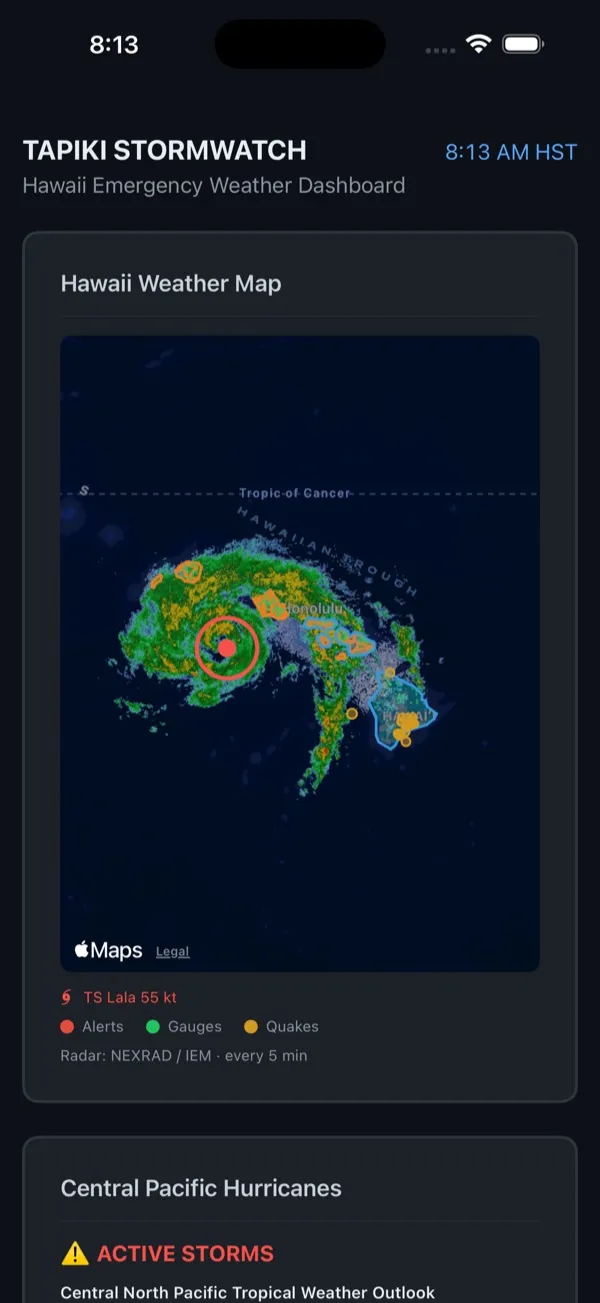
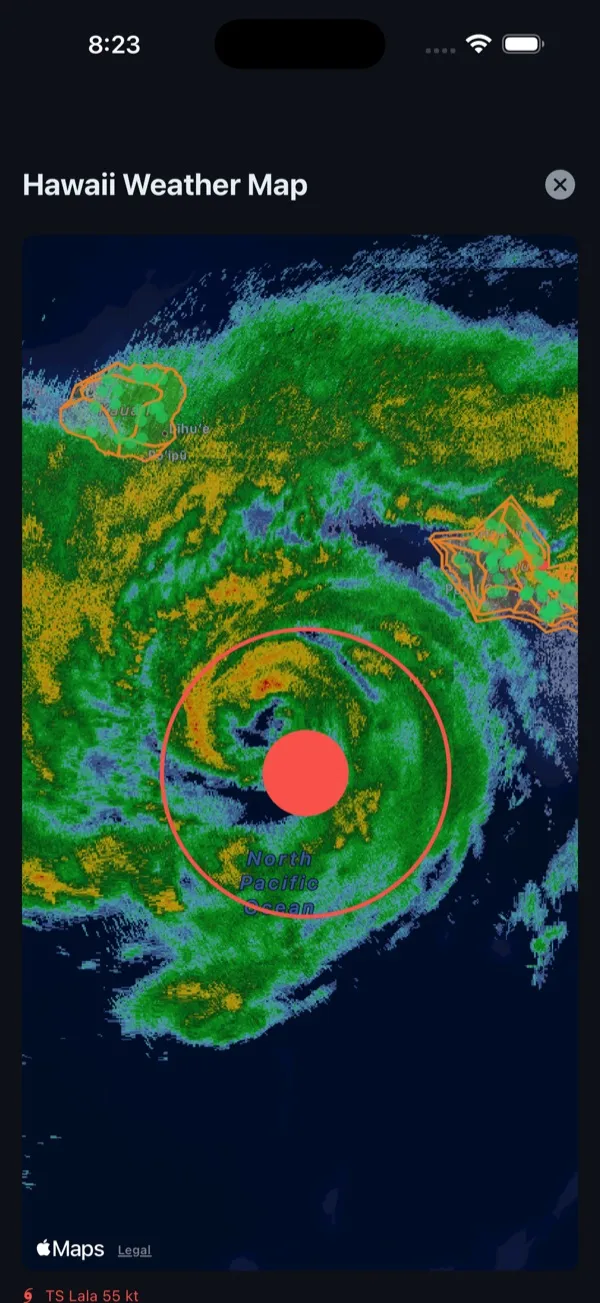
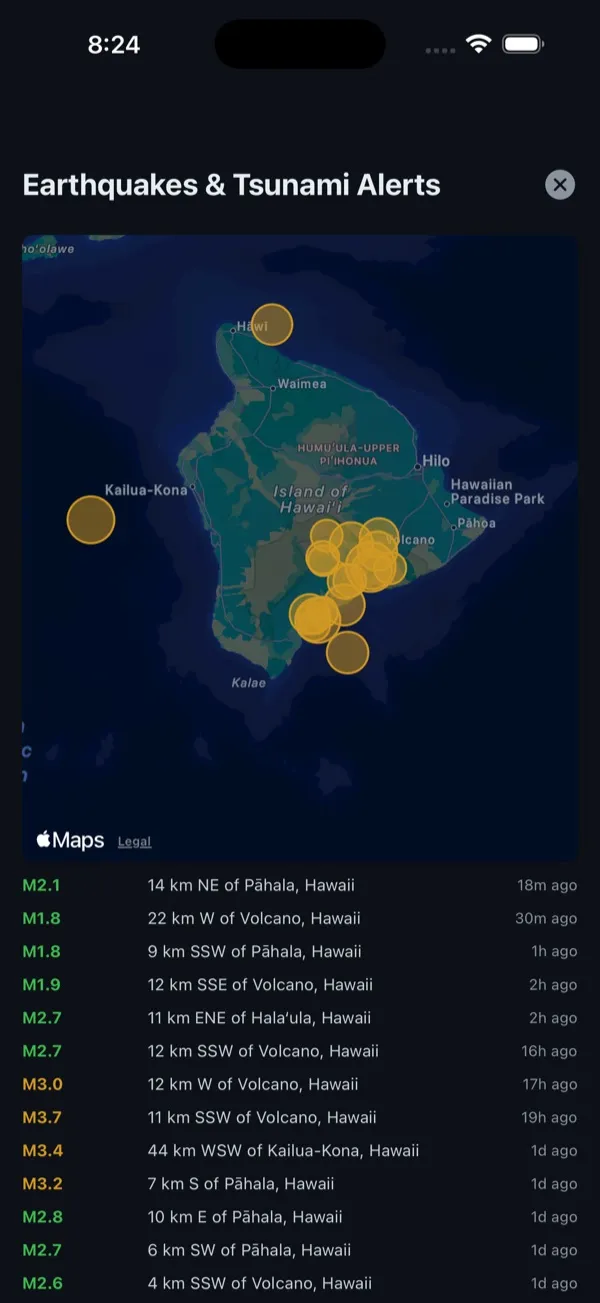
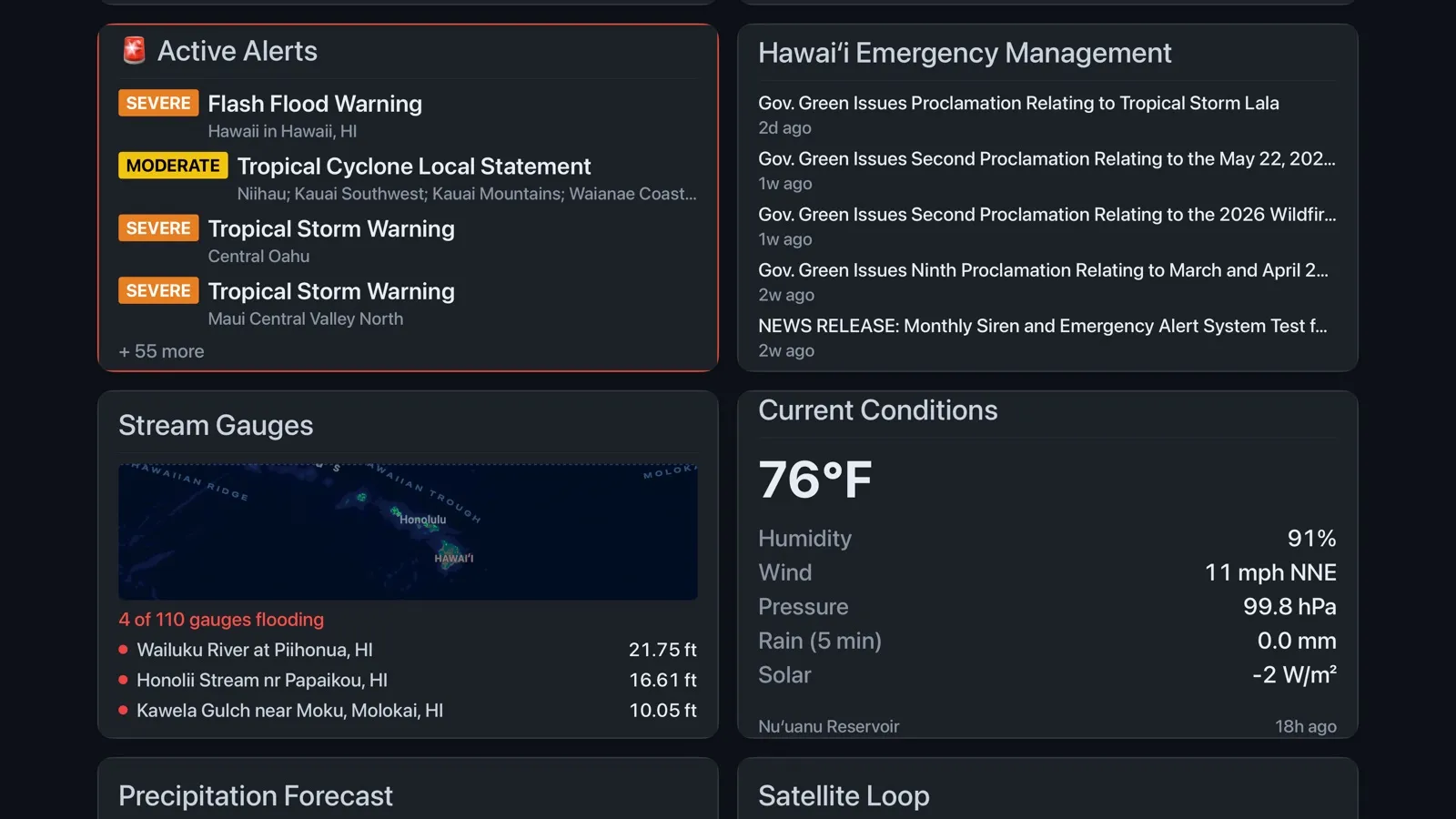
The full dashboard: active alerts, the Hawaiʻi weather map with a live radar loop and hurricane forecast cones, current conditions for every island, stream gauges, tides and surge, earthquakes and tsunami alerts, live cameras, news, and emergency resources.
On iPhone, Live Activities put the most serious active alert on your Lock Screen and in the Dynamic Island. They update from StormWatch’s servers even when the app is closed, so an alert that is extended, upgraded, or cancelled shows up right away.
Apple TV
tvOS 27 or later
The whole dashboard on the big screen, for a living room, a front desk, or an operations room during a storm.
Apple Watch
watchOS 26 or later
Weather alerts and current conditions on your wrist, and a watch-face complication that shows the highest active alert. The watch app works on its own, without the iPhone app.
Web
Any current browser
The dashboard at stormwatch.tapiki.ai, plus StormWatch Lite, a text-only version for weak connections at stormwatch.tapiki.ai/lite.
Community outage reports
Is it just my house?
Power out? Tap Report outage on the map in the iPhone app, use your location or drop a pin, and your neighbors can see whether it’s one house or the whole area.
- Reports need no account and are never tied to your name, address, or Apple ID.
- The map groups reports by neighborhood: yellow for one report, orange for two, red for three or more, and green once two or more people say the power is back.
- No signal? Your report waits on your phone and sends itself when a connection returns.
- Reports clear by themselves after 24 hours. Report again to restart the clock, or withdraw yours any time.
- No reports in an area doesn’t mean the power is on there. It can mean nobody could report.
StormWatch doesn’t notify your utility
Call your utility’s outage line to report an outage to them.
- Oʻahu
- Hawaiian Electric, 1-855-304-1212
- Maui County
- Hawaiian Electric, 1-855-304-8181
- Hawaiʻi Island
- Hawaiian Electric, 1-855-304-9191
- Kauaʻi
- KIUC, 808-246-4300
Common questions
If something looks off.
Is StormWatch free?
Yes. StormWatch is a free public resource, with no account and no ads.
Does StormWatch issue warnings?
No. StormWatch brings official information from the National Weather Service, the National Hurricane Center, the Pacific Tsunami Warning Center, USGS, and the Hawaiʻi Emergency Management Agency into one place. In an emergency, follow the instructions of those agencies and your county.
A tile says it’s temporarily unavailable.
When a source feed can’t be reached, the tile says so instead of looking empty or showing an all-clear. Anything already on screen stays until the feed is back.
How do I turn off Live Activities?
On iPhone, open Settings → StormWatch → Live Activities and turn them off. Alerts still appear in the app.
Which radar can I see?
The Doppler Radar tile plays the latest loop from NWS Honolulu and refreshes every 5 minutes. Open it to switch between the statewide Hawaiʻi mosaic and the Kauaʻi, Molokaʻi, Kohala, and South Point radars. StormWatch remembers your pick, and on iPhone and iPad you can pinch to zoom.
My connection is weak during a storm.
Use StormWatch Lite at stormwatch.tapiki.ai/lite. It’s a text-only version of the alerts that loads on a slow or patchy connection.
Privacy
What StormWatch keeps.
The apps have no account, no ads, and no analytics. Most of StormWatch only reads public data, so there is nothing to collect. Two features send something to StormWatch’s servers.
Outage reports
Location is used only to place a report you choose to send. The server turns it into a neighborhood-sized area and keeps that area, the outage status, the time, and a scrambled device ID used to stop duplicate reports. Your exact location isn’t stored. To limit abuse, StormWatch keeps a scrambled form of your IP address for one hour, and our host’s request logs keep it for one day. Each report leaves the map after 24 hours and is deleted within 15 minutes after that.
Live Activities
When Live Activities are on, StormWatch gives its server an Apple push token each time you open the app, so alerts on your Lock Screen can update while the app is closed. The token only lets Apple deliver those updates. It isn’t linked to your name or Apple ID, and the server deletes it 30 days after you last open the app, or sooner if Apple reports it’s no longer valid.
The website at stormwatch.tapiki.ai counts page views with Vercel Web Analytics, which sets no cookies. Its live video and wind map are embedded from YouTube and Windy, which follow their own privacy policies; details here.
The full policy is in the Tapiki App Privacy Policy.
Contact
Something wrong, or an idea?
Get help
Tell us which screen you were on, what you expected, and what happened instead, with your device and its software version. A screenshot helps.
Email supportShare feedback
A data source you rely on, a feature you’d use in the next storm, or a note about how StormWatch worked for you.
Send feedbackYou can also write to stormwatch@tapiki.ai.